Anyone building on top of video content eventually needs transcripts. Summaries, search, retrieval for a language model, clipping tools and research datasets all begin with the words that were spoken. A few years ago the usual answer was a small open source library that scraped YouTube's caption files. Today there are several commercial services that do the job more reliably, and from their landing pages they look almost interchangeable. The differences emerge only when you need something slightly out of the ordinary: a TikTok as well as a YouTube video, a video that has no captions, or a hundred links processed at once.
I should be clear about my position before going further. I work on Transcript Dock, one of the five services compared here. To keep the comparison fair, every statement about the other four comes from that company's own pricing page or documentation, checked in November 2026, with links at the end. Where another service is the better choice, I say so.
The services side by side#
| TranscriptAPI | Supadata | ScrapeCreators | youtube-transcript.io | Transcript Dock | |
|---|---|---|---|---|---|
| Entry price | $5 a month for 1,000 credits | $5 a month billed yearly, 300 credits | $47 for 25,000 credits, pay as you go | $9.99 a month, 1,000 transcripts | Free 50 caption credits every 30 days; paid plans on the pricing page |
| Free credits | 100 at signup | 100 a month | 100 | 25 a month | 50 every 30 days |
| Platforms | YouTube | YouTube, TikTok, Instagram, X, Facebook, file URLs | YouTube, TikTok, Instagram, Facebook, X | YouTube | YouTube, TikTok, Instagram (beta), your own files |
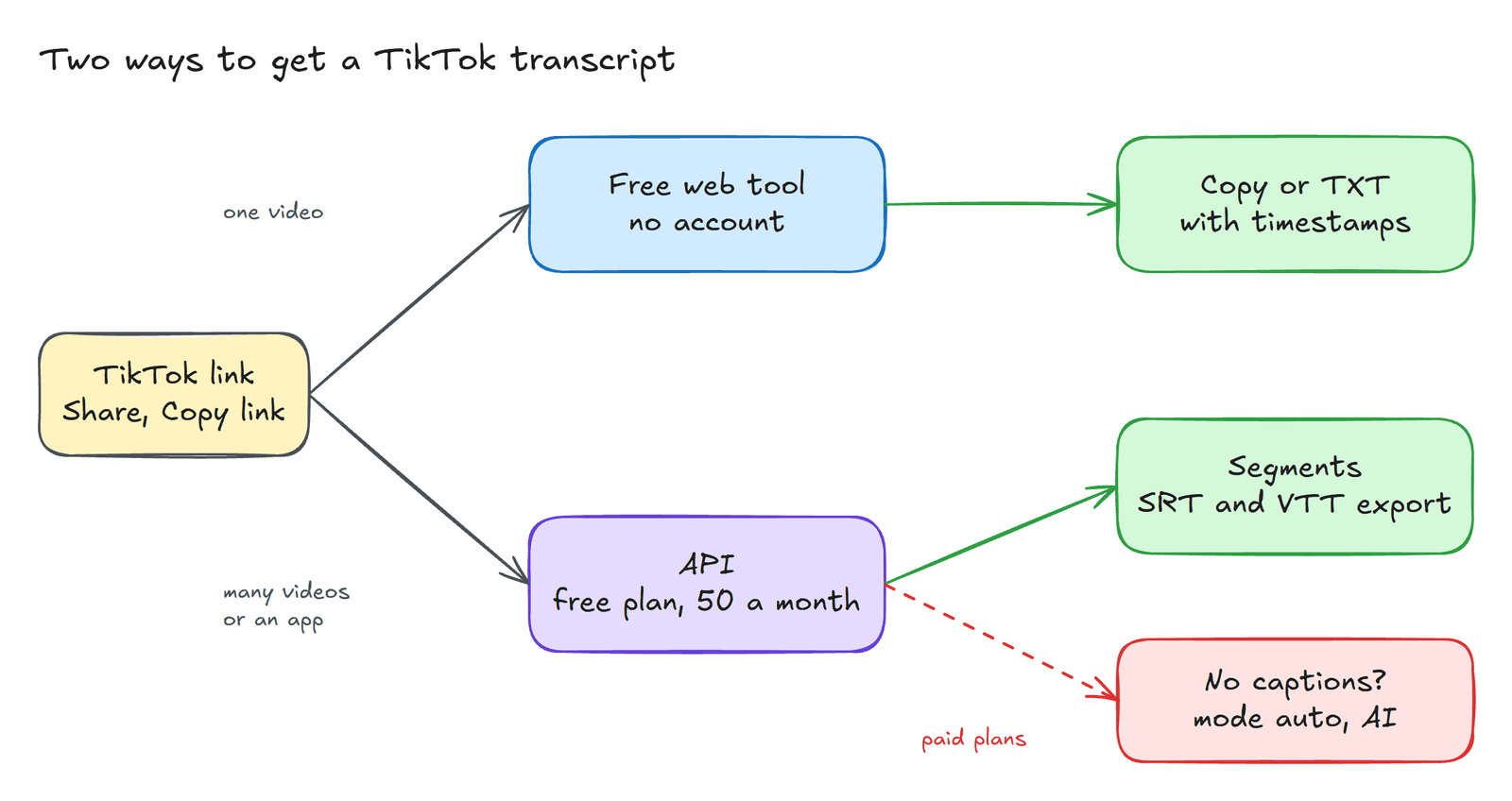
| No captions | Returns no_captions | AI, 2 credits a minute | AI for TikTok (opt in) and Instagram | Not mentioned | AI, 2 credits a minute (paid plans) |
| Direct file upload | Not mentioned | Public URL only | Not mentioned | Not mentioned | Yes |
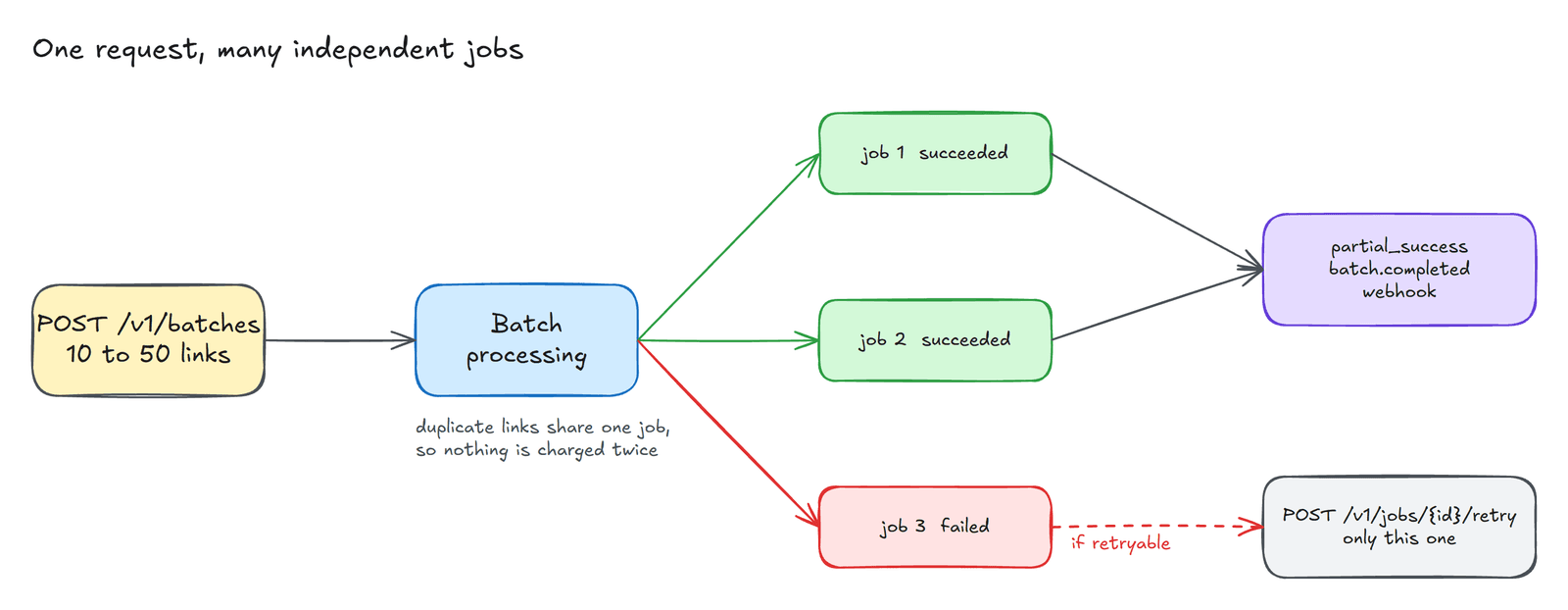
| Batch | Not mentioned | YouTube only, Pro and up | Not mentioned | Bulk, channel, playlist, CSV | Any platform, 10 to 50 links on paid plans |
| Webhooks | Not mentioned | No docs page | Not mentioned | Not mentioned | Signed, including batch completed |
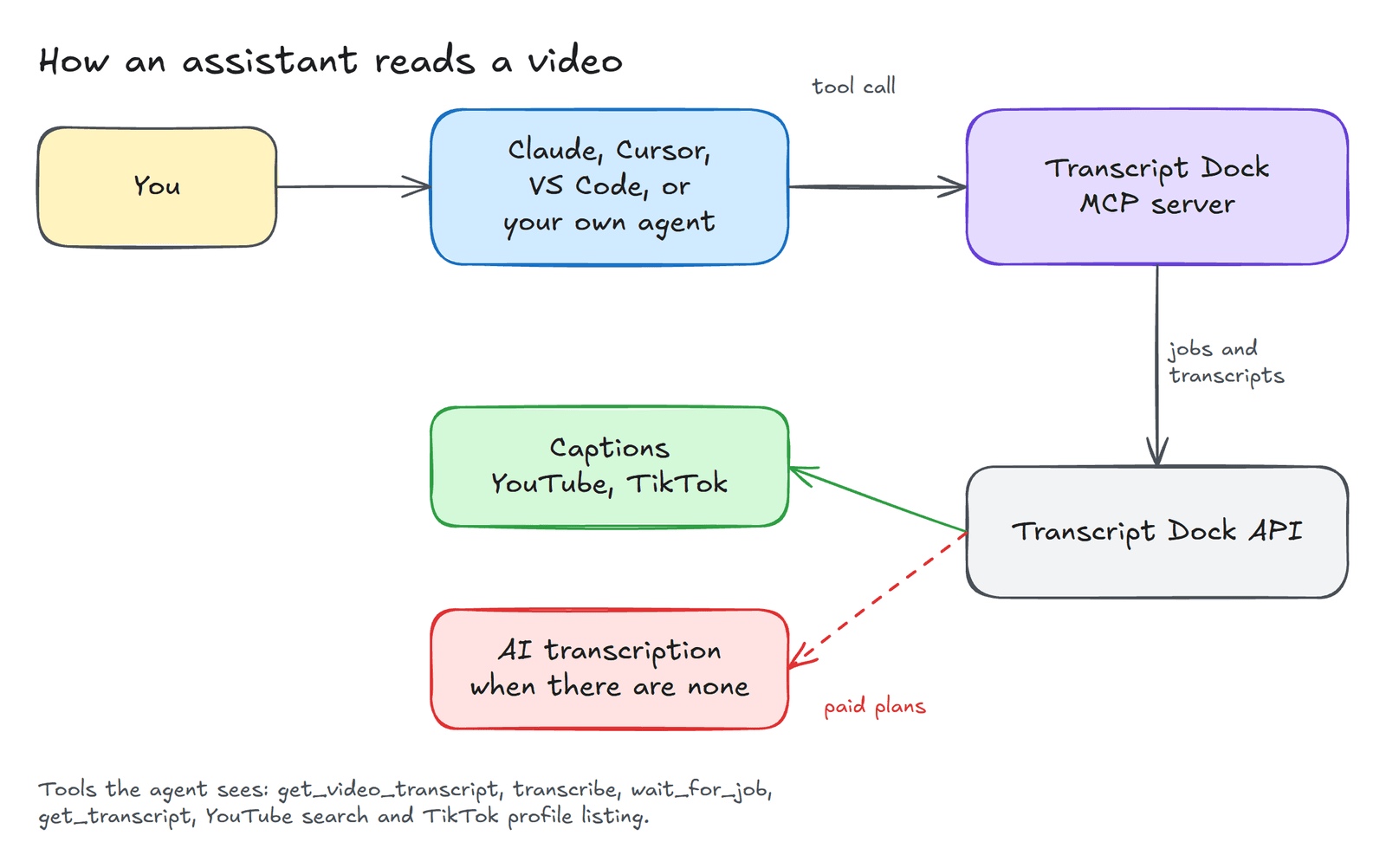
| MCP server | Yes | Yes | Yes | Not mentioned | Yes, every plan |
| Browser extension | Not mentioned | Not mentioned | Not mentioned | Yes | Yes (Chrome and Edge) |
"Not mentioned" means that I could not find the feature on the vendor's own pages. It does not prove that the feature is absent, and I would be glad to be corrected.
Choosing by what you need#
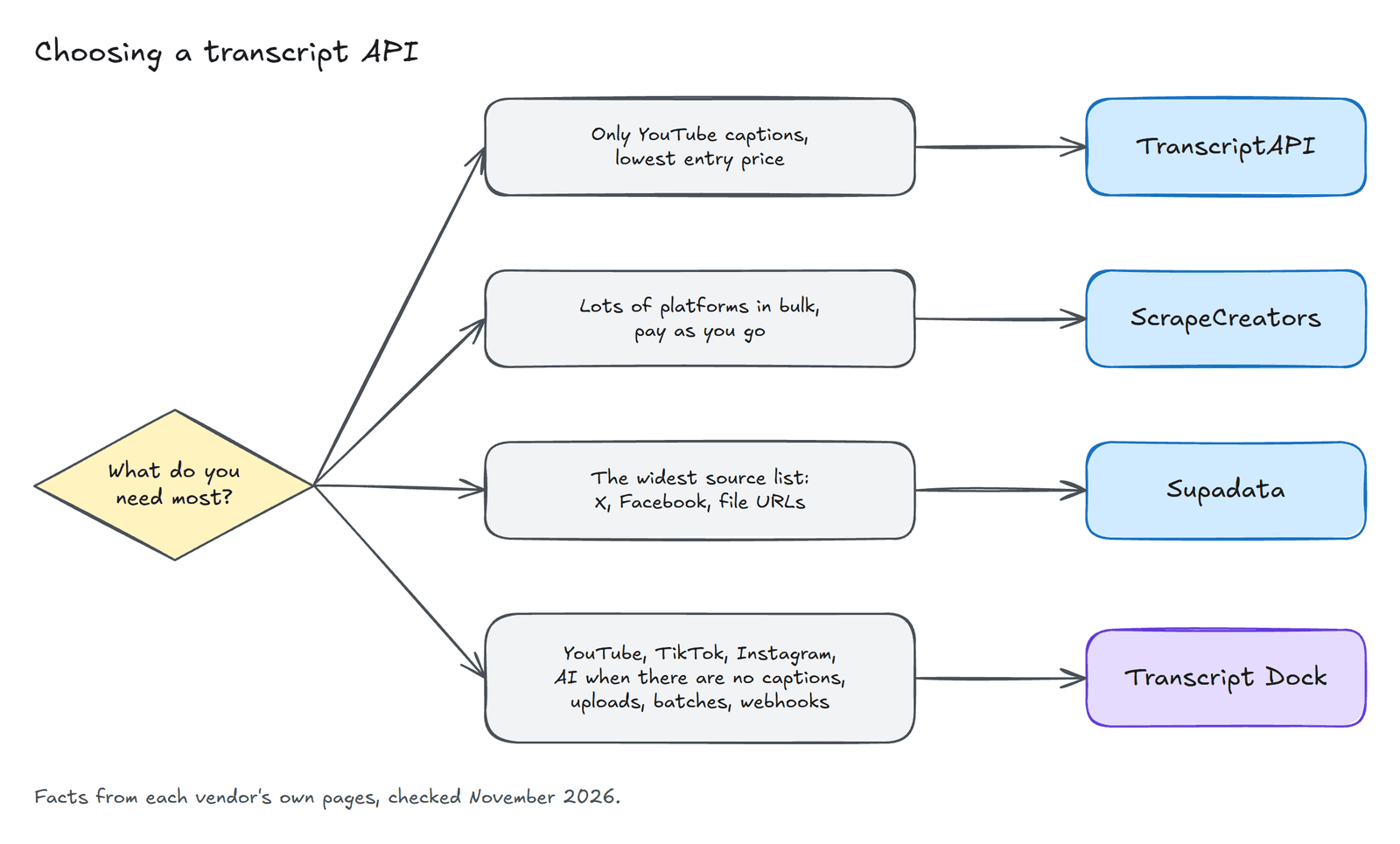
A table of this kind encourages the reader to count ticks, which is rarely the right way to choose. It is more useful to begin with the one thing your project cannot do without, as the diagram above suggests.
If all you need is captions from YouTube at the lowest possible starting price, TranscriptAPI is difficult to beat. Five dollars for a thousand credits is generous, and the API is simple. The trade off is that a video without captions returns nothing, so the service suits projects where that case is rare or unimportant.
If you need many social platforms at high volume and prefer to pay as you go, ScrapeCreators has the lowest price per call at scale among these five, and its credits do not expire. For a large one off collection of public social data, that combination is hard to argue with.
If the breadth of sources matters most, Supadata covers more of them than anyone else here, including X, Facebook and arbitrary file URLs. Its AI transcription for videos without captions costs the same as ours.
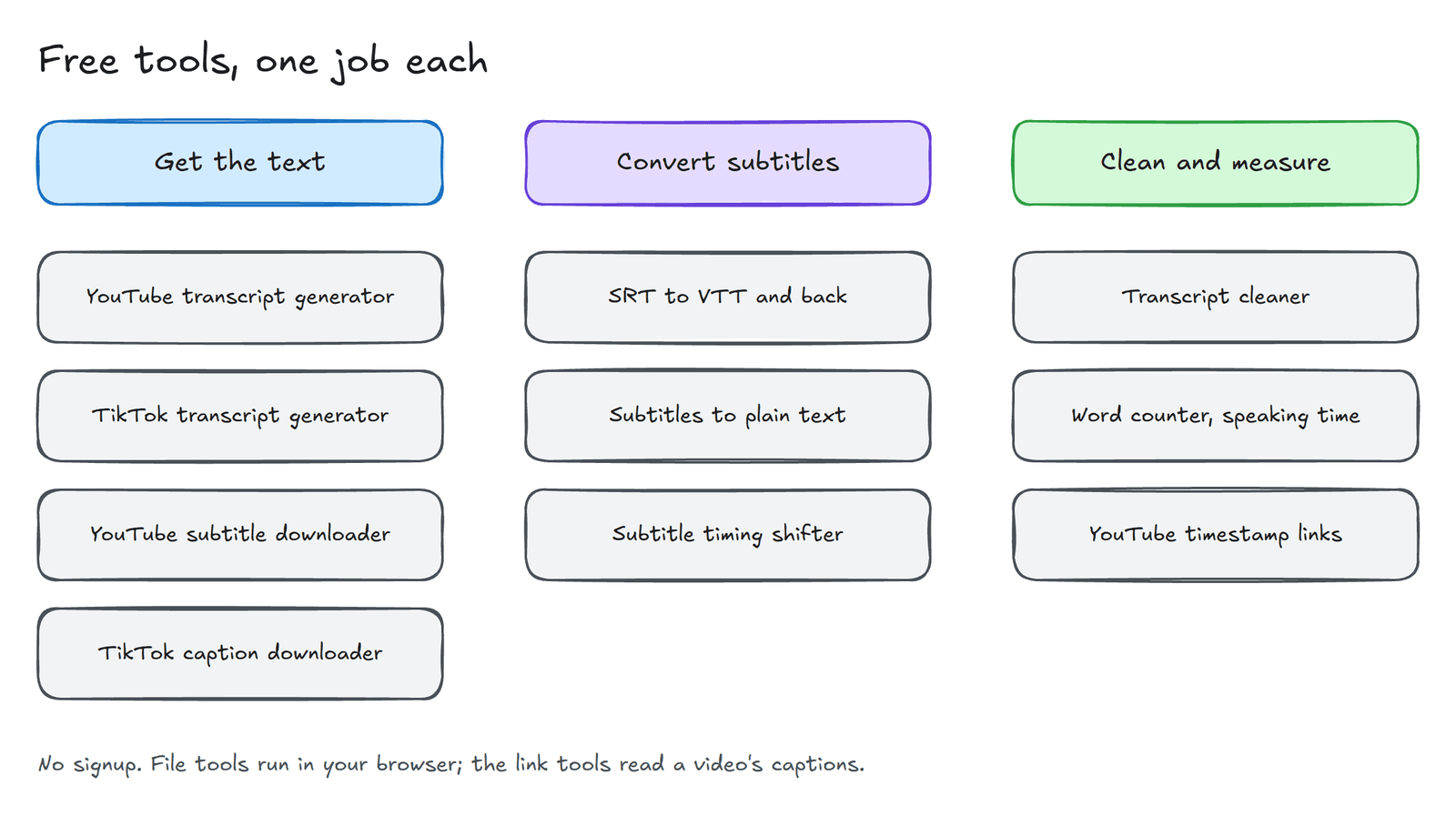
If you want YouTube, TikTok and Instagram together, with AI transcription when captions are missing, direct upload of your own files, batches and signed webhooks in one API, that combination is the reason we built Transcript Dock. Of the five, it is the only one whose own pages document direct file upload and signed webhooks, and those two features matter more than they first appear once transcripts feed an automated pipeline rather than a script that someone watches.
What the price table does not tell you#
A few considerations rarely appear on pricing pages but shape the real cost of a service.
The first is what a failure costs. Supadata's documentation states that an unavailable transcript still consumes a credit. On Transcript Dock a failed job releases its reserved credit in full, and reading a video that your workspace has already fetched is free. If a meaningful share of your links will fail, this difference adds up.
The second is timing. If you intend to build search, chapters or citations, make sure the service returns timed segments with start and end points, not merely a block of text. The third is export. Native SRT and VTT output saves a formatting step whenever the transcript is headed for an editor or a video player. The last is agents. Four of the five services now offer an MCP server, so the question is no longer whether an assistant can use the service but what the tools actually return.
Sources#
- TranscriptAPI: pricing, API documentation
- Supadata: pricing, transcript documentation, MCP
- ScrapeCreators: website
- youtube-transcript.io: pricing
- Transcript Dock: pricing, documentation
Prices and features change, and a comparison like this one ages quickly. If you notice something out of date, please say so in the comments and I will correct the table.
Created with the help of AI.