TikTok shows captions on most talking videos, yet it offers no way to take those words away with you. That is a small inconvenience for a casual viewer and a real obstacle for anyone whose work depends on the text: the creator who wants a script of last month's videos, the researcher studying how a topic is discussed, the journalist who needs to quote someone accurately, the editor who needs subtitles for a repost.
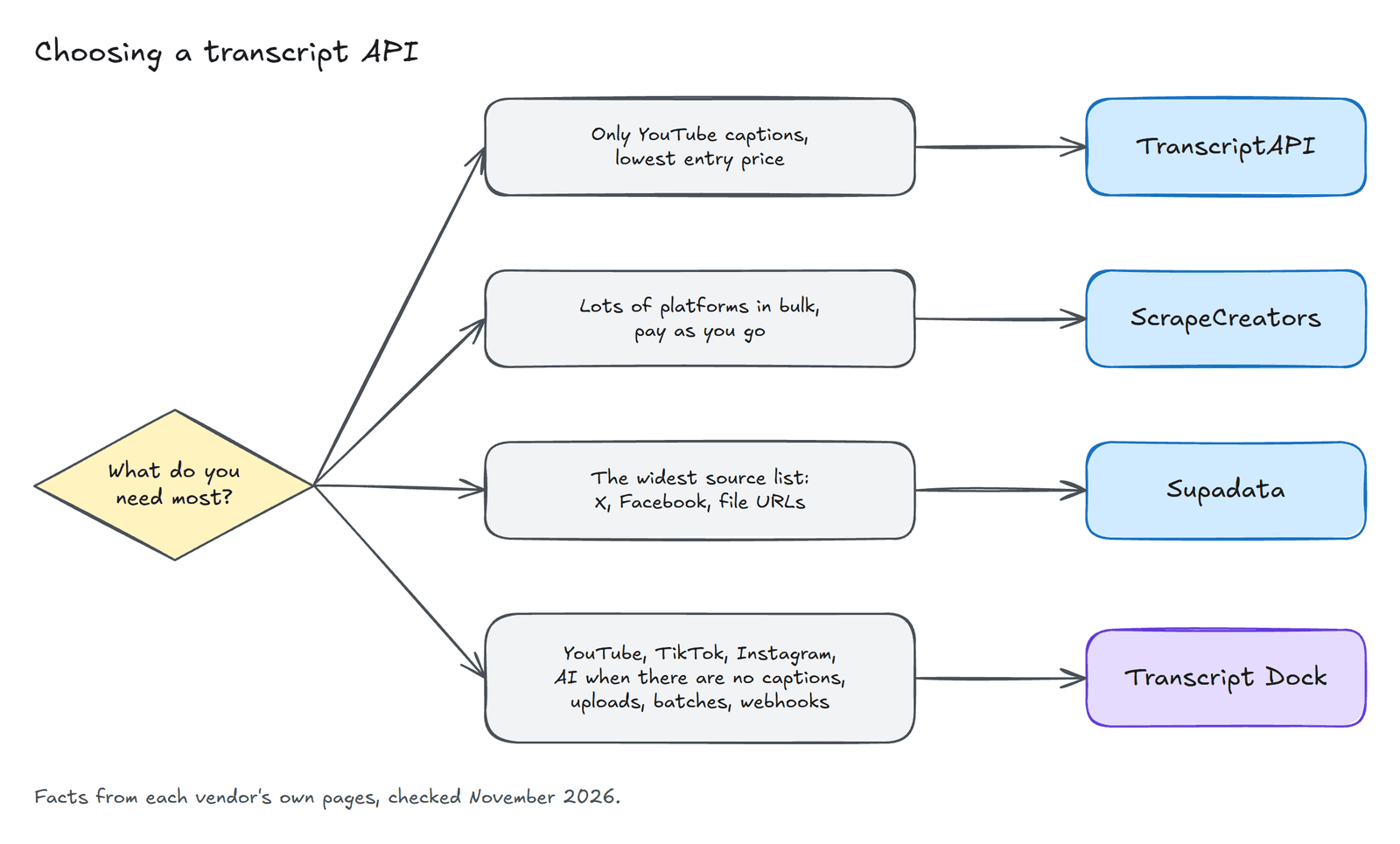
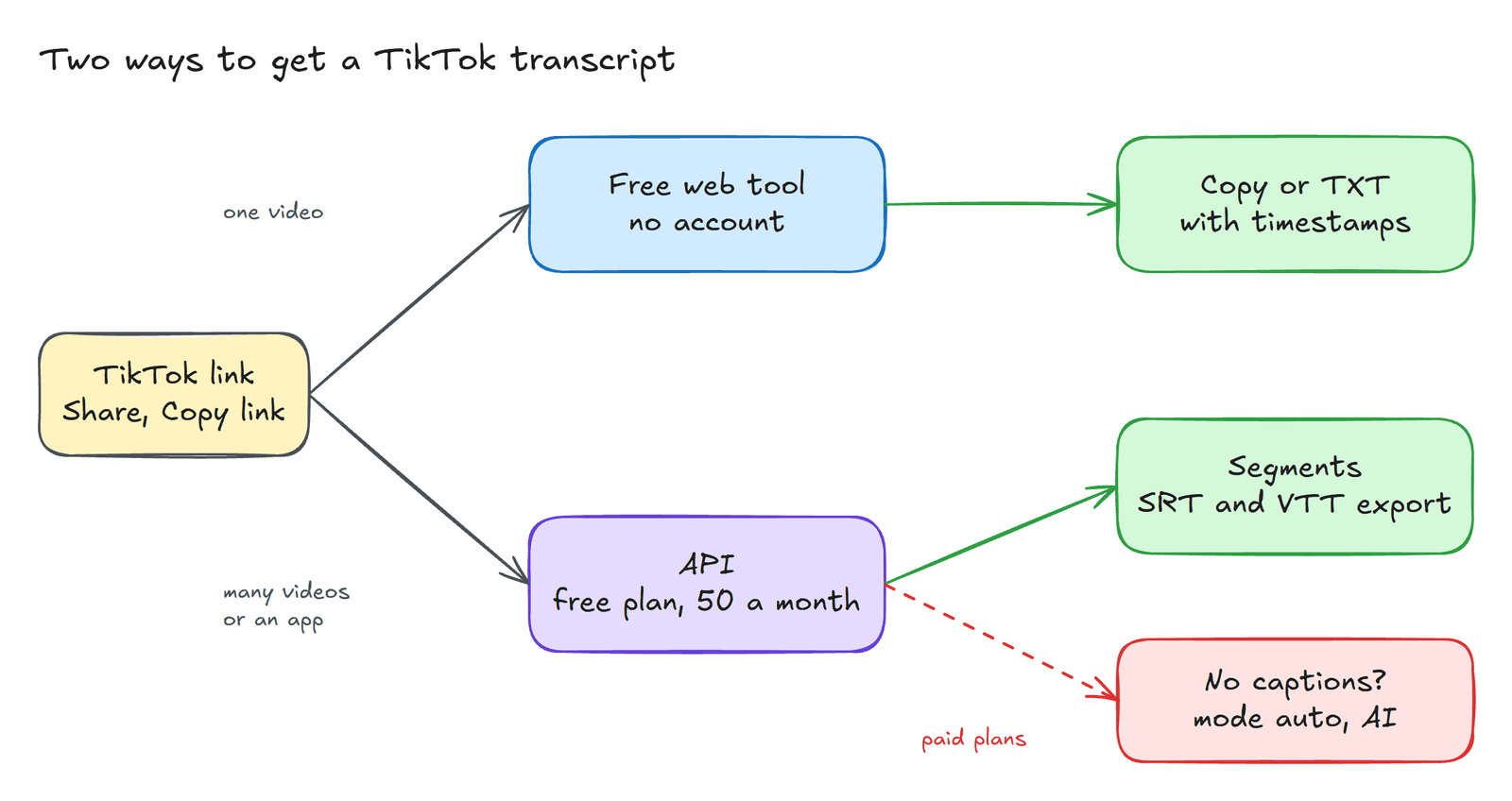
There are two sensible ways round the problem, and the right one depends on how many videos you have. For a single video, a free web tool is quicker than any program. For many videos, or for anything that should run on its own, an API is the better instrument. I work on Transcript Dock, which makes both, so I will describe each and leave the choice to you.
The way without code#
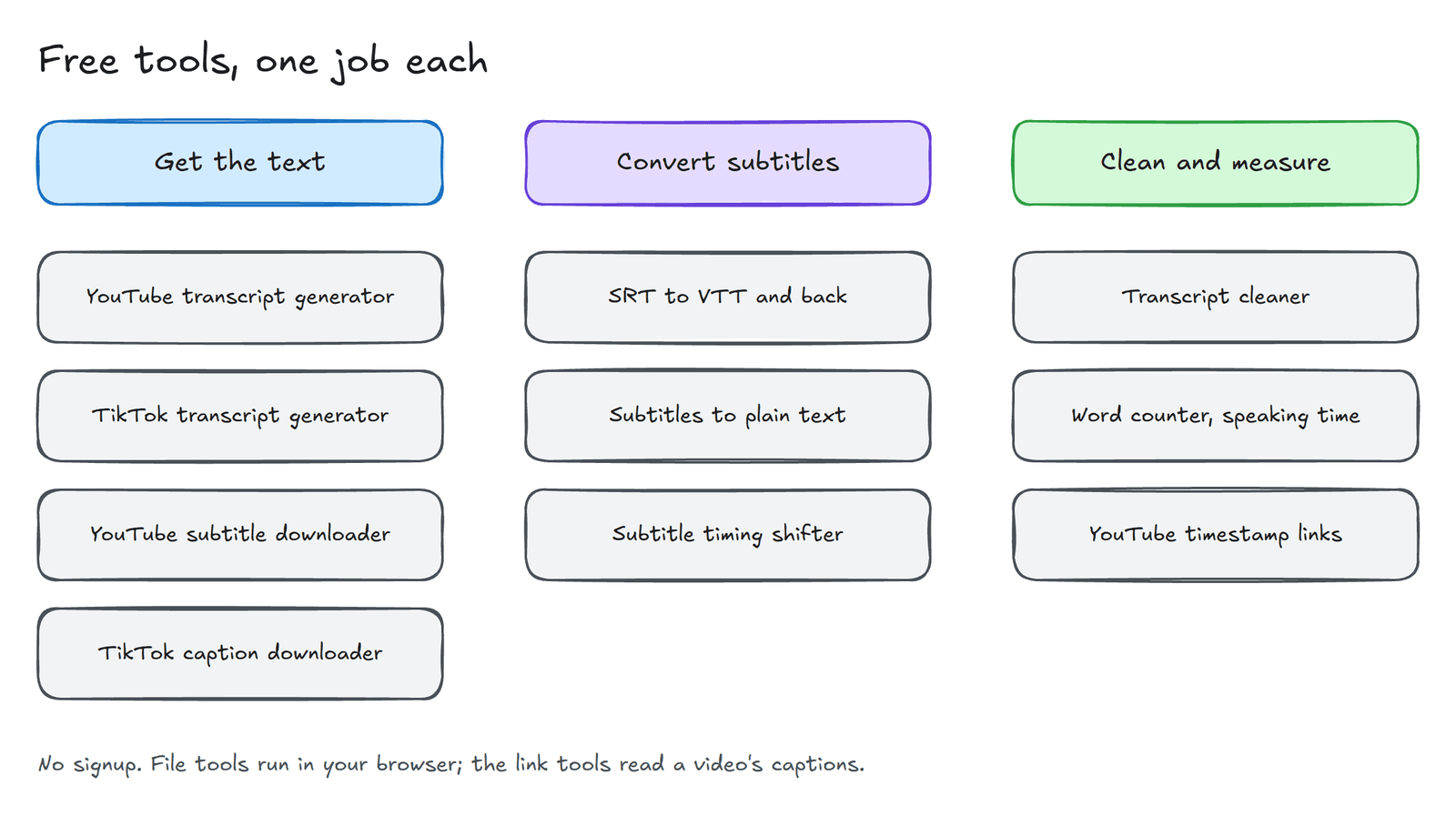
Open the video in TikTok, tap Share and then Copy link. The short vm.tiktok.com links that the app produces work as well as the long ones. Paste the link into the free TikTok transcript generator and press Get transcript. A few seconds later the text appears. Switch on With timestamps if you want to know when each line was spoken, and then copy the result or download it as a text file.
No account is needed. The tool reads the captions that the video already has, so it cannot help with a video that has none, and it allows only a few videos a day for each visitor. For occasional use that is rarely a constraint.
The way with code#
Once the number of videos grows, the API becomes the more practical route. Create a free account, which gives you fifty caption transcripts every thirty days, then make a key under API keys & webhooks in the dashboard. The following program fetches the transcript of a NASA video and prints each line with its time.
import os, time, uuid, requestsAPI = "https://www.transcriptdock.com/v1"H = {"Authorization": f"Bearer {os.environ['TRANSCRIPTDOCK_API_KEY']}"}r = requests.post(f"{API}/jobs", headers={**H, "Idempotency-Key": str(uuid.uuid4())}, timeout=30, json={"source": {"url": "https://www.tiktok.com/@nasa/video/7702504724049743117"},"mode": "captions_only",})r.raise_for_status()job = r.json()while job["status"] in ("queued", "processing", "awaiting_provider"):time.sleep(2)job = requests.get(f"{API}/jobs/{job['id']}", headers=H, timeout=30).json()if job["status"] == "succeeded":t = requests.get(f"{API}/transcripts/{job['result_id']}", headers=H, timeout=30).json()for s in t["segments"]:print(f"[{int(s['start'] // 60):02d}:{int(s['start'] % 60):02d}] {s['text']}")else:print(job["error"]["code"])
Run it, and the first lines read as follows.
[00:01] big things are coming together at NASA and some exciting[00:04] journeys are just getting started[00:05] here's what's new in your NASA minute
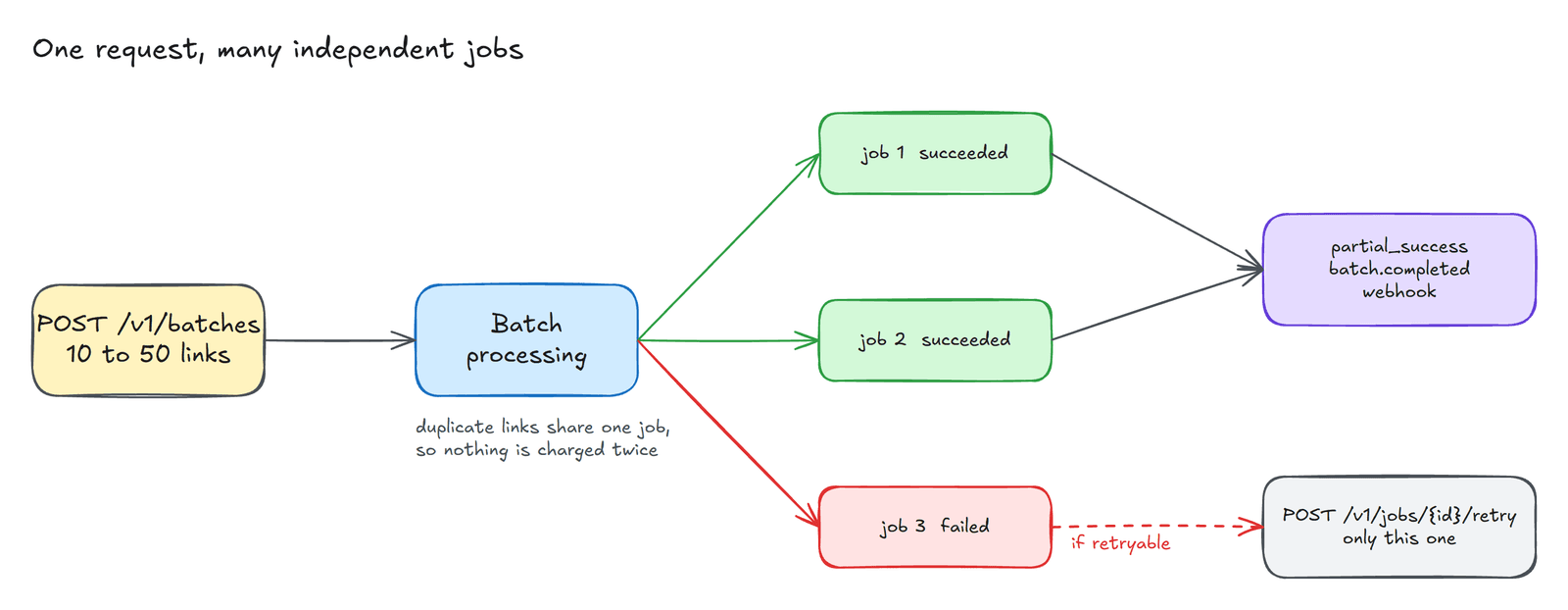
The program follows the pattern that every request to this API shares. It submits the link as a job, sends an Idempotency-Key so that a lost response cannot cause a duplicate, waits while the job runs, and then reads the transcript once the job has succeeded. The segments carry start and end times in seconds, which the last loop formats as minutes and seconds. If you would rather have a subtitle file, request GET /v1/transcripts/{id}/export?format=srt, which costs nothing beyond the original transcript.
When a video has no captions#
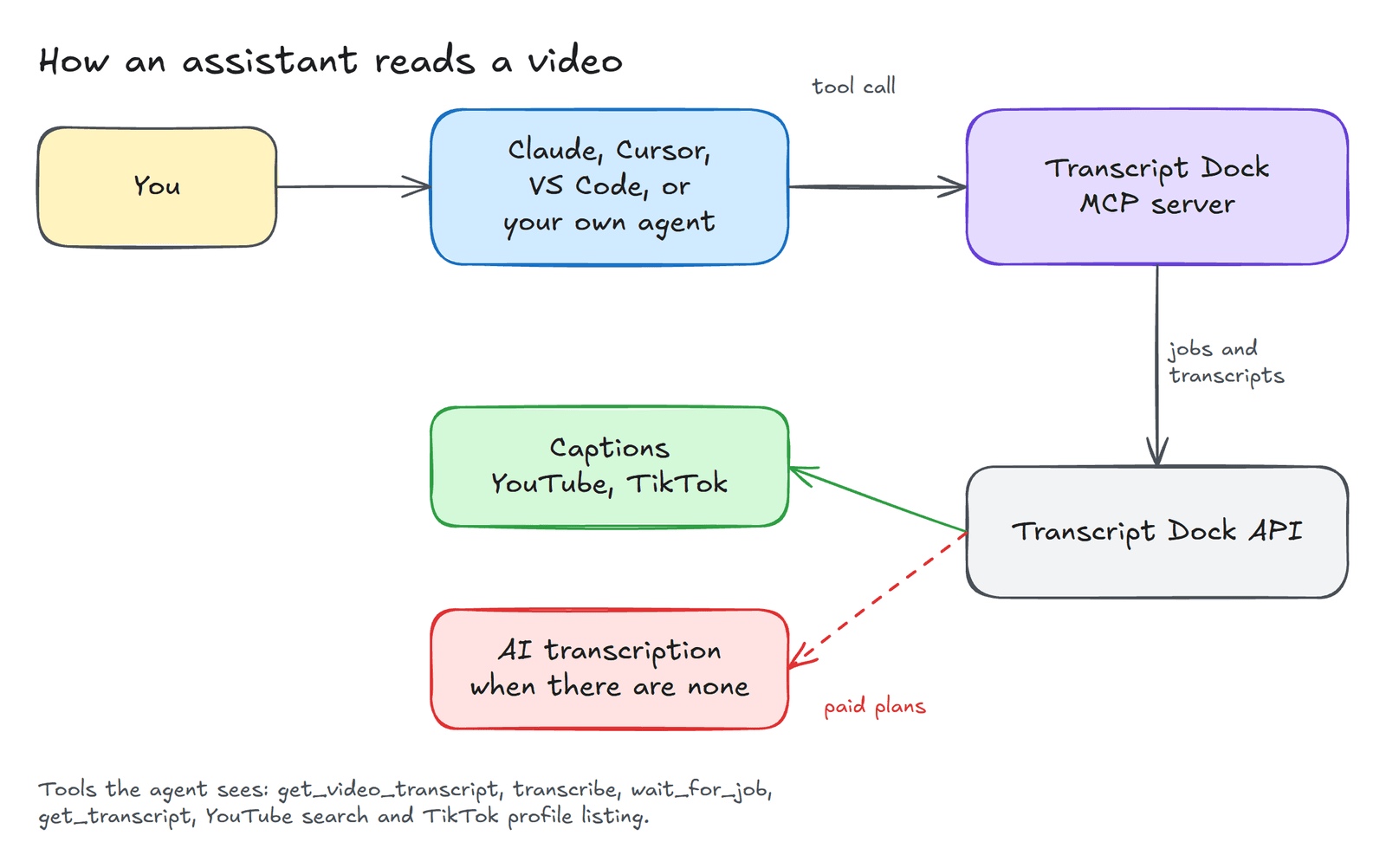
Music clips, voiceovers and a fair number of older posts have no caption track. With captions_only, such a job fails with the code NO_CAPTIONS. On a paid plan you can set "mode": "auto" instead, and the service will transcribe the audio when it finds no captions. That costs two credits for each started minute, and since most TikToks last a minute or two, the cost of an individual video is small.
Going through a whole profile#
Sometimes the unit of interest is not a video but a creator. The MCP server and the API both include a tool for listing a profile's recent videos, which means an AI assistant can be asked to list the latest posts from an account and transcribe each of them in a single conversation. The setup is described in the MCP documentation.
A word about whose words these are#
Captions belong to the people who spoke them. Transcripts are excellent for research, for accessibility, for notes and for quoting with proper credit. They are not a licence to republish another person's work as your own, and nothing in this article should be read as suggesting otherwise.
The quickstart describes the rest of the API, including YouTube, Instagram reels on the paid plans, and files you upload yourself.
Created with the help of AI.